General settings
Click the gear icon in the main navigation to access settings. Under the General tab you'll find user, account and subscription information. You'll also see the Single sign-on card when SSO is enabled for your account.
Users
The Users card displays all users with access to the account.
Inviting a user
To invite a new user, click Invite user. Enter the person's email, first name and last name. Click Invite.
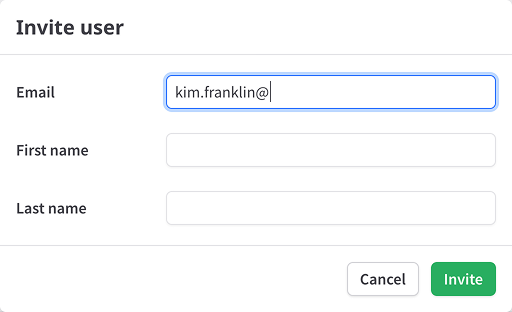
The Invite user action is unavailable in test mode, when your account requires single sign-on or when the account has reached its user limit. When single sign-on is required, access is instead governed by the account's SSO configuration and allowed domains.
Account settings
The Account card shows:
- Company name — The name of your ProsperStack account.
- Client ID - Your unique client ID used for integrating ProsperStack.
- Client secret - To view, click Reveal client secret.
- Revenue mode — Display recurring revenue as monthly recurring revenue (MRR) or annual recurring revenue (ARR).
- Retained revenue tracking — Track retained revenue By subscriber or By subscription.
The revenue choices affect how revenue is displayed and tracked throughout the account, including Sessions and Insights.
Subscription
The Subscription card displays your ProsperStack plan, cost, billing interval and saved payment method.
You can add or update a payment method and also view invoice history.