Connecting your subscription platform
Connect your subscription platform to enable the customer and subscription context needed to personalize cancellation flows and automations, target interventions and measure retention outcomes.
Selecting your platform
On the dashboard, click Connect a subscription platform to open the connection panel. You can also click the gear icon in the main header to open Settings, then click Connect a platform in the Subscription platform section.
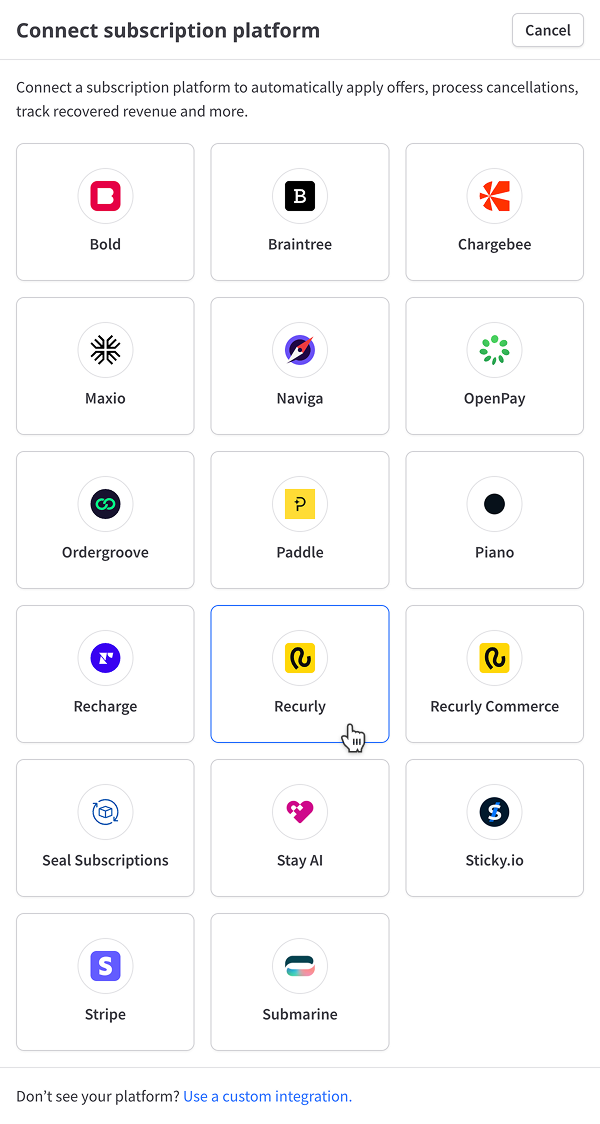
Click your platform or choose a custom integration to continue.
Refer to your platform page for specific instructions.
Supported platforms
- Stripe
- Chargebee
- Recurly
- Recurly Commerce
- Bold
- Braintree
- Maxio
- Naviga
- OpenPay
- Ordergroove
- Paddle
- Piano
- Recharge
- Seal Subscriptions
- Stay AI
- Sticky.io
- Submarine
Don't see your platform? Get in touch with us to learn about our integration roadmap or discuss a custom integration.
After connecting
After you've connected your subscription platform, the import process begins automatically. This process can take a while, depending on how much data you have. You don't need to stay logged in to ProsperStack for it to finish — we'll continue importing your data in the background and send you an email when it's complete.
Managing a connected platform
To view and modify platform settings, click the gear icon in the main header to open Settings, then select Integrations and click Configure for your connected subscription platform.
Depending on the platform, you can update API keys or tokens, copy an installation snippet or configure other platform-specific behavior. See your platform's page for the available settings and exact credential fields.