Reviewing feedback
The feedback section provides a view of all the open-ended text feedback received from subscribers during cancellation sessions.
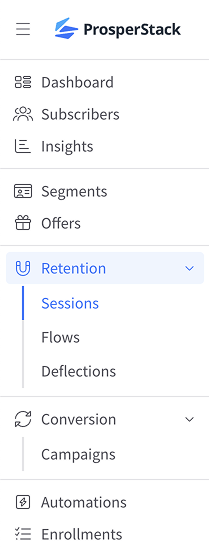
To access this view, click Sessions in the left navigation and then click the Feedback tab.
The feedback grid includes answers to text questions and Other, specify responses from multiple choice questions.
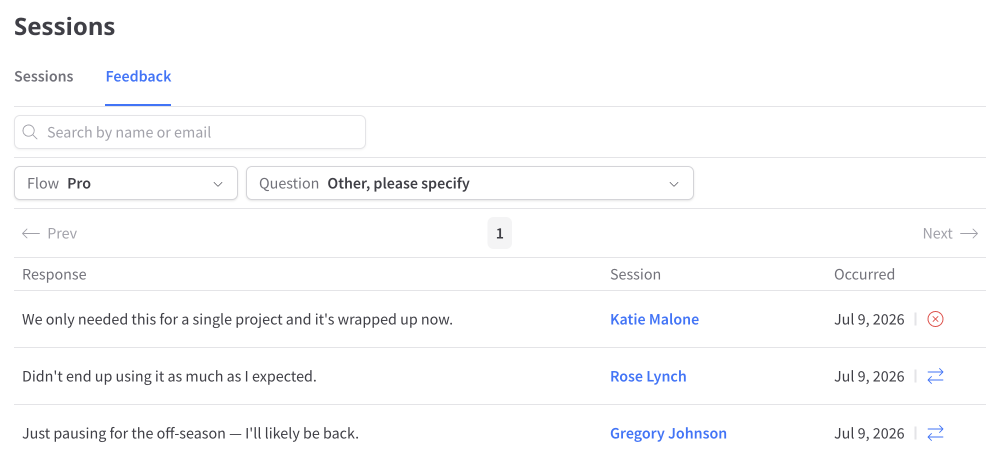
Each row shows the response, subscriber, session outcome and date. Click the subscriber's name or email to open the associated session details.
Filtering feedback
Feedback can be filtered with the dropdowns at the top of the grid:
- Flow — Choose the cancellation flow whose feedback you want to review. This filter appears when multiple flows are available.
- Question — Choose an eligible text question or a multiple choice question that includes Other, specify.
Searching feedback
Search feedback by subscriber name or email. For supported platforms, you can also search by the platform customer ID.