Ordergroove
ProsperStack integrates with Ordergroove and Shopify to import customer and subscription data, personalize retention experiences and apply supported subscription changes. This page explains how to connect Ordergroove, add ProsperStack to its customer portal and review the features and properties supported by the platform integration.
Connecting Ordergroove
To connect Ordergroove, you'll need an API key.
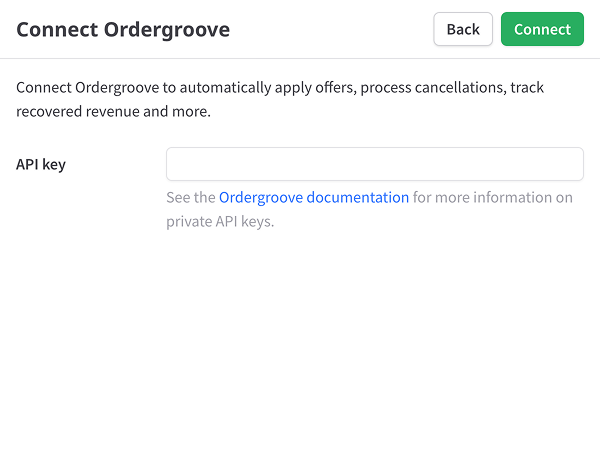
API key — To locate your Ordergroove API key, see the Ordergroove documentation.
After clicking Connect, the import process will begin automatically.
Integrating Ordergroove
To activate the ProsperStack cancellation flow in your Ordergroove customer portal, you'll need to install the ProsperStack snippet in your Shopify store theme.
Getting your snippet
To find your snippet, click the gear icon in the main header to open Settings, then select Integrations. Click Configure in the Ordergroove section. You'll find your snippet in the Shopify snippet section.
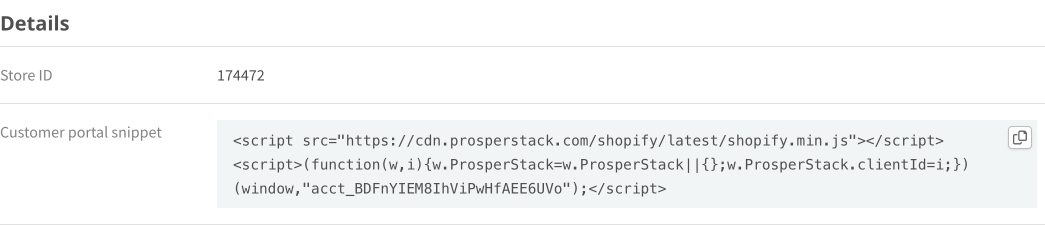
Click the copy button in the top right of the text area to copy the snippet to your clipboard.
Installing your snippet
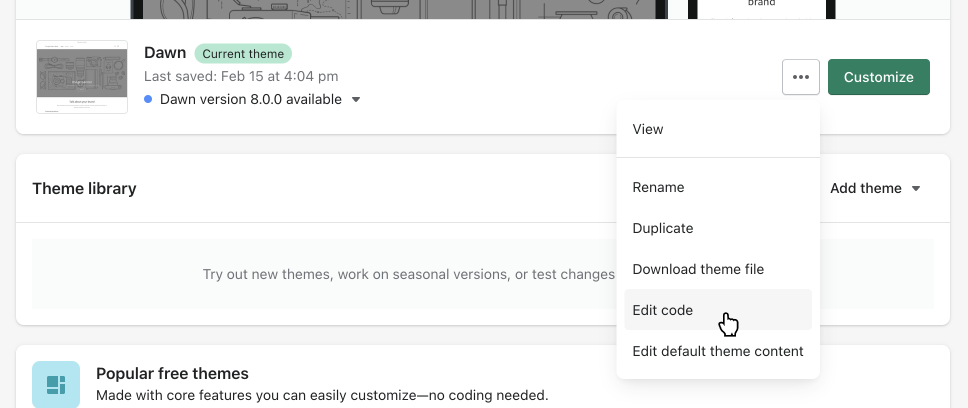
To begin, navigate to the Themes page in your Shopify store dashboard. Find the dropdown button next to your active theme and click Edit code in the menu.
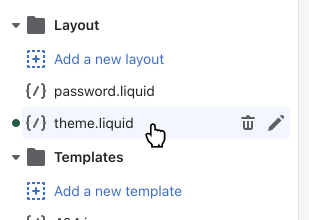
Next, select the theme.liquid file in the navigation on the left side of your
screen.
In the code editor, locate the closing </head> tag and paste your snippet just
before this closing tag.
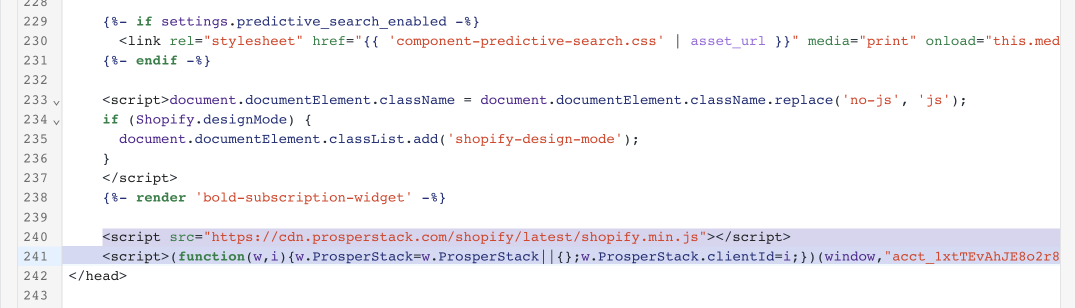
Click the Save button to save your changes and activate the ProsperStack cancellation flow.
Feature support reference
Solutions
Overall support for ProsperStack solutions.
Features
Subscription platform dependent capabilities. Features supported on every platform are not listed.
Coupons
- Coupon offer
- Create new coupon
- Percentage-based coupon
- Fixed amount coupon
- One-time coupon
- Indefinite coupon
- Monthly duration coupon
- Billing cycle coupon
- Custom duration coupon
- Use existing coupon
- Apply coupon to customer
- Apply coupon to items
- Replace existing coupon
- End trial (conversion)
Plan changes
- Plan change offer
Upgrade
- Upgrade offer
Downgrade
- Downgrade offer
Modify subscription
- Modify subscription offer
Pause subscription
- Pause subscription offer
Trial extension
- Trial extension offer
Product swap
- Product swap offer
- Apply coupon with product swap
Other offers
- Payment recovery offer
- Free gift offer
- One-time purchase offer
- Reactivation offer
- Reschedule order offer
Subscription cancellation
- Subscription cancellation
- Cancel at end of billing period
- Cancel unpaid invoices
Customer portal
- Customer portal
Properties
Properties available for customer segmentation.
Subscriber23
- Active offer ID
- Active subscription count
- ARR
- Cancel reason
- Cancel reason code
- Days since saved
- Email address
- First name
- Last name
- Last session date
- Last session start date
- Location
- LTV
- MRR
- Paid invoices
- Saved date
- Session domain
- Session URL
- Shipping location
- SKU count
- SKUs
- Status
- Subscription plan IDs
Subscription20
- Active coupon ID
- ARR
- Billing location
- Cancel reason
- Cancel reason code
- Discount fixed amount
- Discount percentage
- Duration (days)
- Last session date
- Last session start date
- LTV
- MRR
- Next billing date
- Paid invoices
- Session domain
- Session URL
- Shipping location
- SKU count
- SKUs
- Status
Plans5
- Plan IDs
- Plan interval counts
- Plan intervals
- Plan names
- Plan quantities