Connecting your email service provider
In order to send emails from your automation, you'll need to connect your email service provider (ESP). Popular ESPs include SendGrid, Postmark and Amazon SES.
To configure your ESP in ProsperStack, click the gear icon in the main header to open Settings, then select Automations.
Under Email service provider, click Connect a provider. If a provider is already connected, click Configure to update its settings.
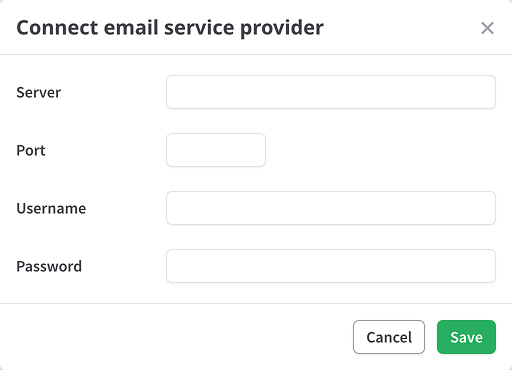
Server - An SMTP server, e.g. smtp.postmarkapp.com.
Port - The server's port. Note that port 25 may be blocked.
Username - Username for the mail server.
Password - Password for the mail server.
Click Save to finish configuring the provider.
Email defaults
You may also set sender and reply-to defaults for emails in your automations.
Under Email defaults, click Configure and enter sender name, email and reply-to. Click Save.