Retention dashboard
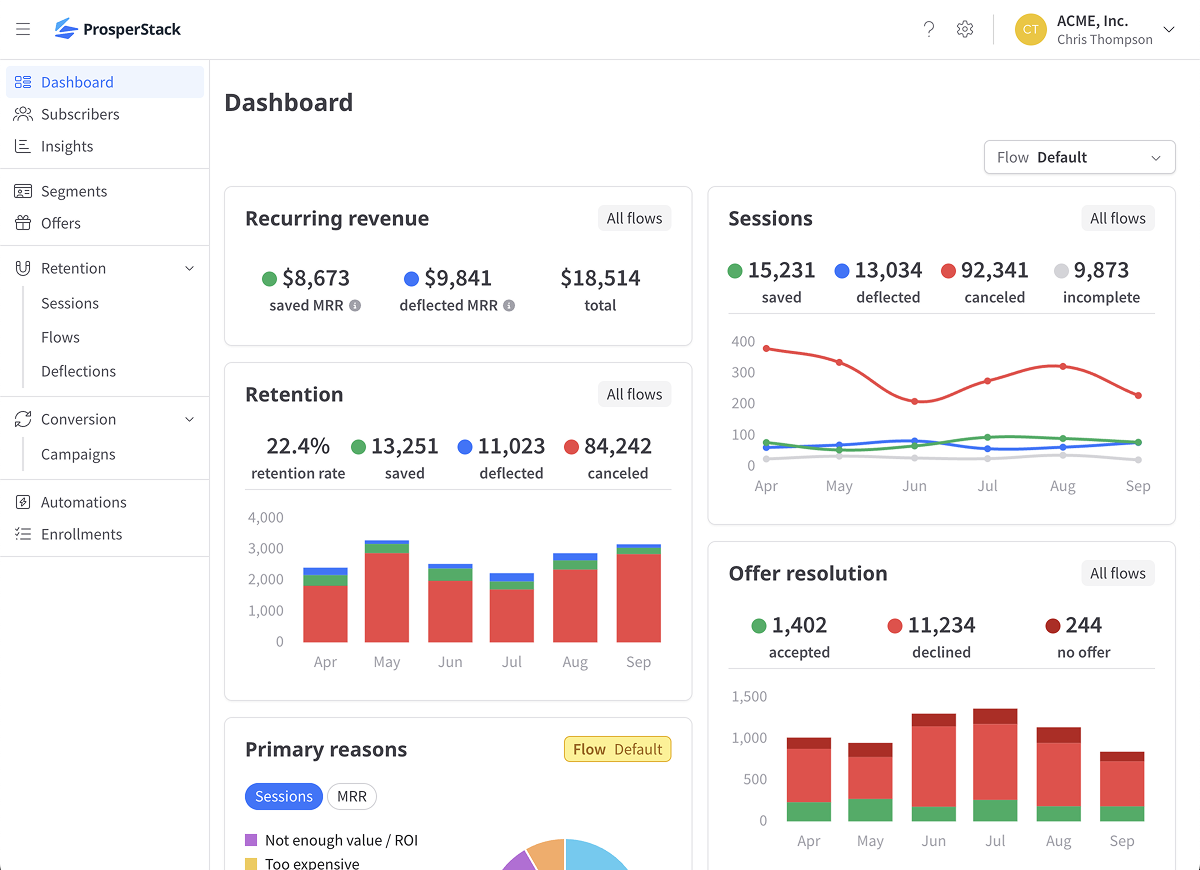
The retention dashboard summarizes current and historical cancellation performance. Use it for a quick account-wide view or go to Insights when you need configurable date ranges, segment filters or downloads.
Click Dashboard in the left navigation to open the retention dashboard.
Filtering by flow
If your account has multiple cancellation flows, use Flow above the dashboard cards to select one. The selected flow applies to Primary reasons and Offer acceptance.
Cards marked All flows continue to combine results from every flow and do not change with the selector.
Dashboard cards
Recurring revenue
The Recurring revenue card shows the recurring revenue that remains active for saved and deflected subscribers, along with the combined total. Values use MRR or ARR according to the account's revenue display setting.
Recurring revenue represents the current value of active subscriptions, not completed payment transactions.
Retained revenue
The Retained revenue card shows completed payments attributed to saved and deflected subscribers, along with total recovered revenue and a historical chart.
This card is not shown for custom platform connections.
Retention
The Retention card shows the retention rate, saved sessions, deflected sessions, canceled sessions and their historical trend. The rate compares saved and deflected outcomes with all completed saved, deflected and canceled outcomes.
Sessions
The Sessions card shows saved, deflected, canceled and incomplete session counts and their historical trend. Open Sessions to view individual sessions.
Offer resolution
The Offer resolution card counts sessions where an offer was accepted, declined or not presented.
Offer acceptance
The Offer acceptance card shows:
- Accept rate — Accepted offers compared with presented offers.
- Offered rate — How often an offer was presented among eligible sessions.
When the account has multiple flows, this card follows the selected Flow.
Primary reasons
The Primary reasons card ranks answers to the selected flow's primary question.
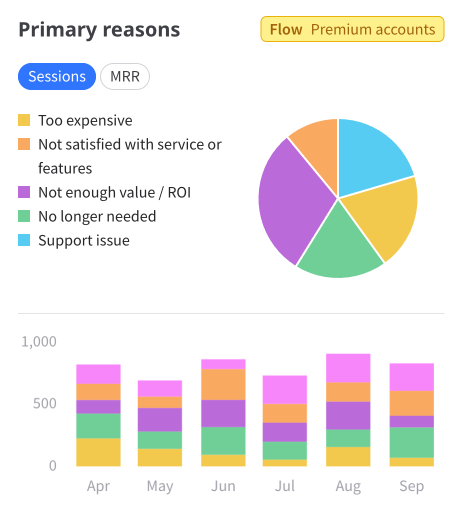
Choose Sessions to compare reasons by the number of sessions. Choose MRR or ARR, according to the account's revenue display setting, to compare the recurring revenue associated with each reason.